
We’ve moved past the phase where a simple chatbot is enough. UX is now about orchestrating how an AI thinks and acts inside a complex system, the “hidden” side of Generative UX: prompt engineering and governance that keep the technology grounded in real data.
My goal: agents that don’t just talk back, but anticipate what a user needs before they ask, while keeping the data 100% accurate.
Evolving an AI strategy from a basic chatbot into a proactive, on-brand assistant that delivers high-accuracy guest data, without hallucinating.
Coral Cloud Resorts needed their AI to feel human and stay on-brand while delivering high-accuracy guest data, without inventing information.
A generic chatbot tone erodes trust, so the agent had to sound like the Guest Success team.
Guest-facing answers must be factual and grounded in real CRM data, every time.
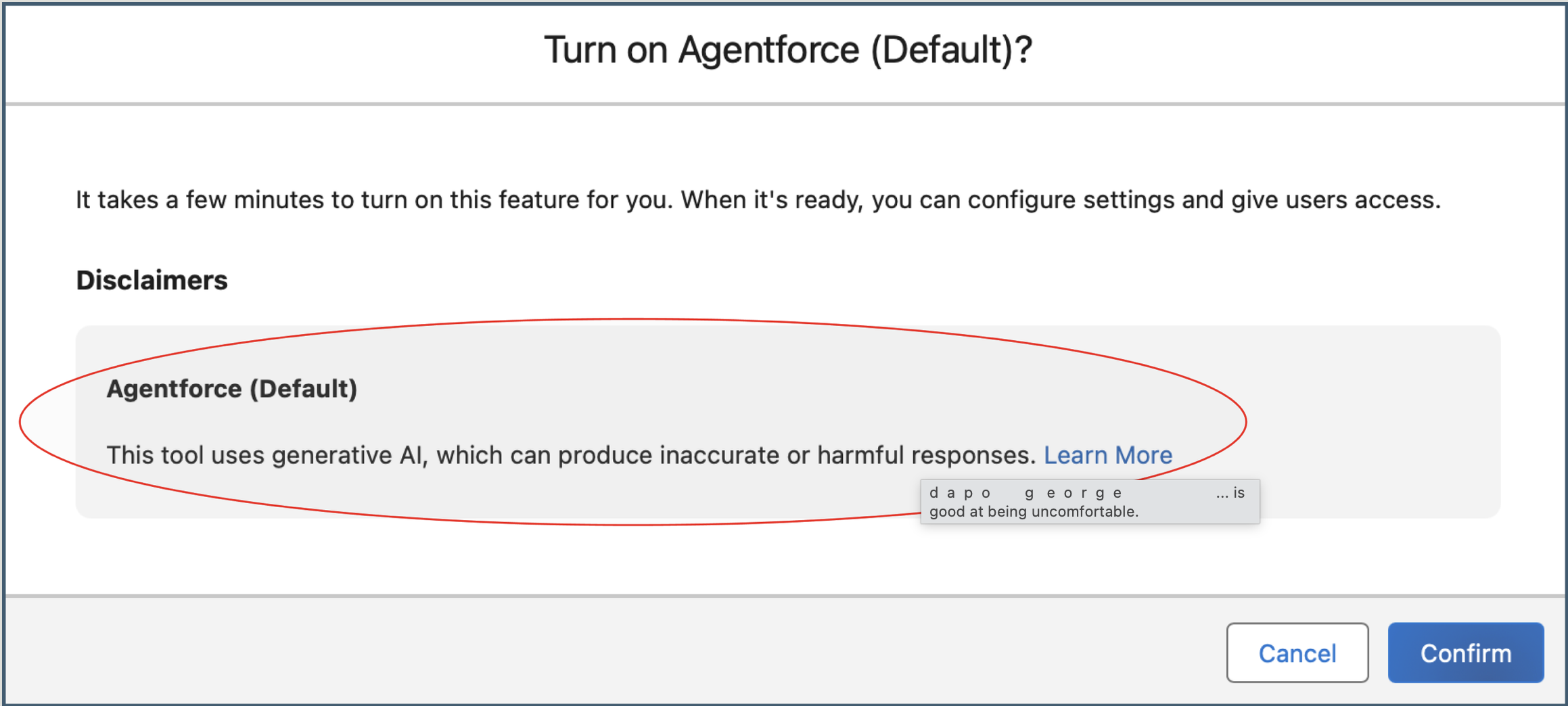
AI disclaimers and governance protocols for ethical, enterprise-ready deployment.
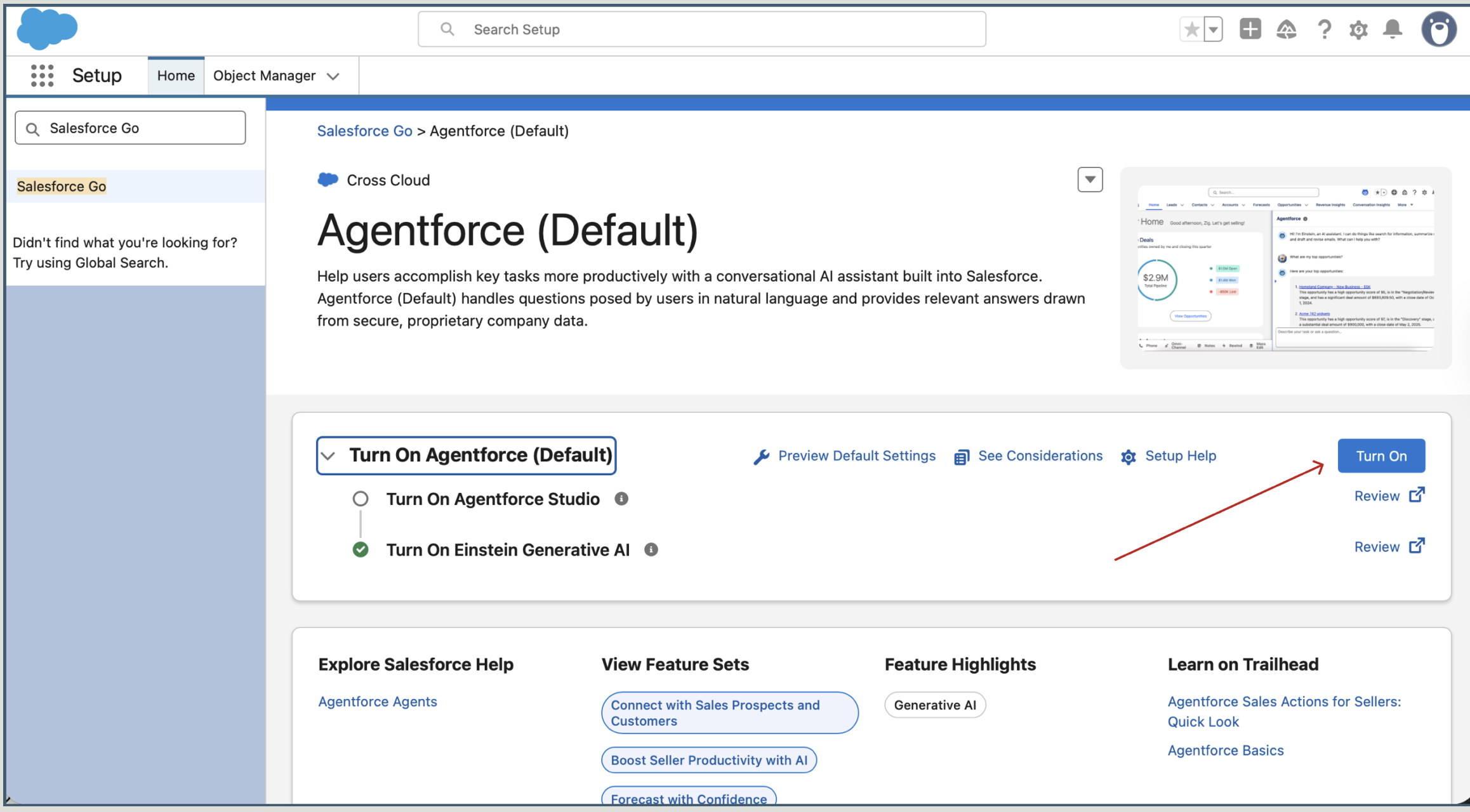
Before customising the experience, I prepared the foundation, activating the AI layers inside a secure platform environment, ready for enterprise-level tasks.
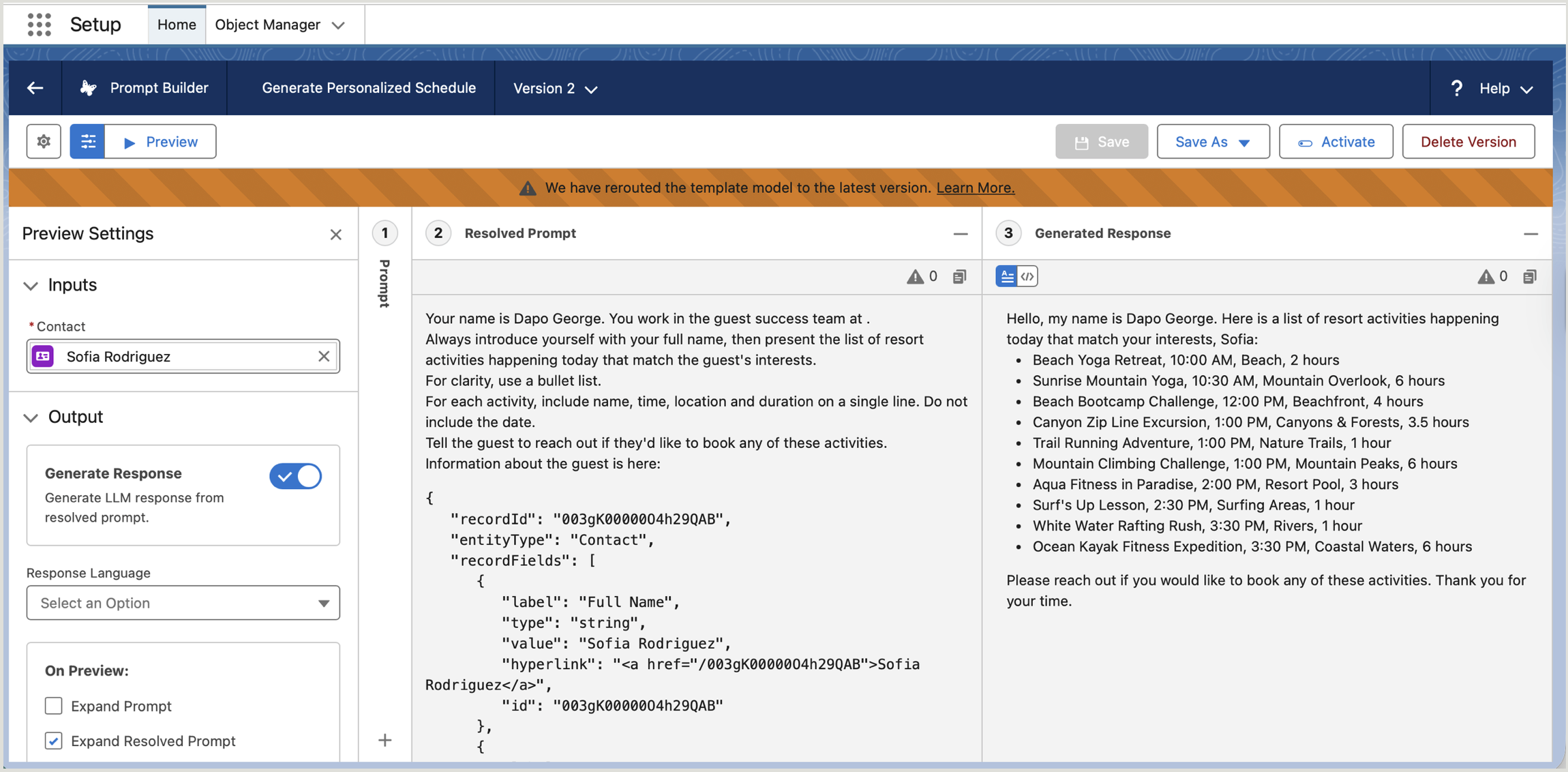
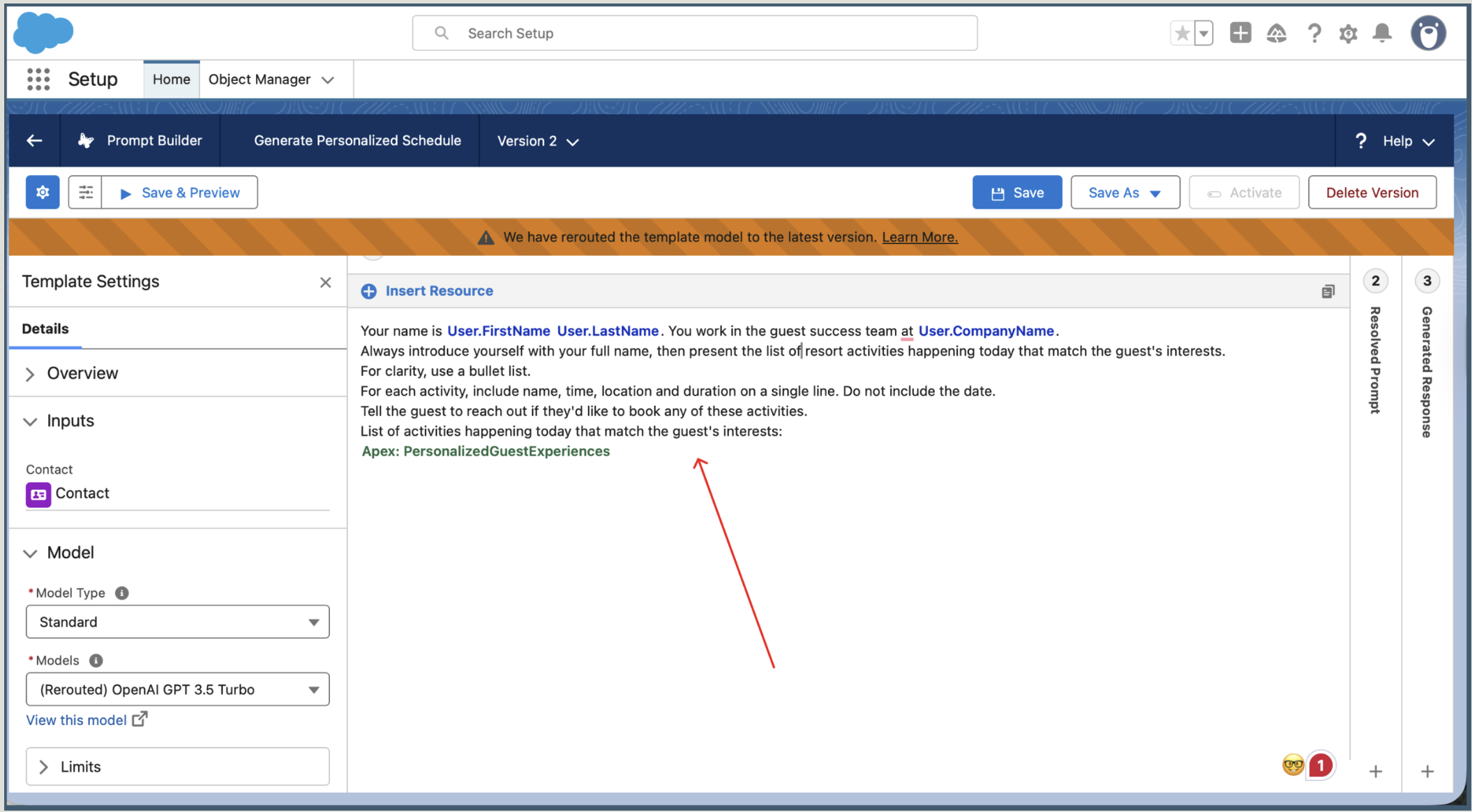
A “human” AI needs a clear identity and access to relevant data. I grounded the prompt template in a specific user context so the agent knew its role, and the guest’s history, before responding.
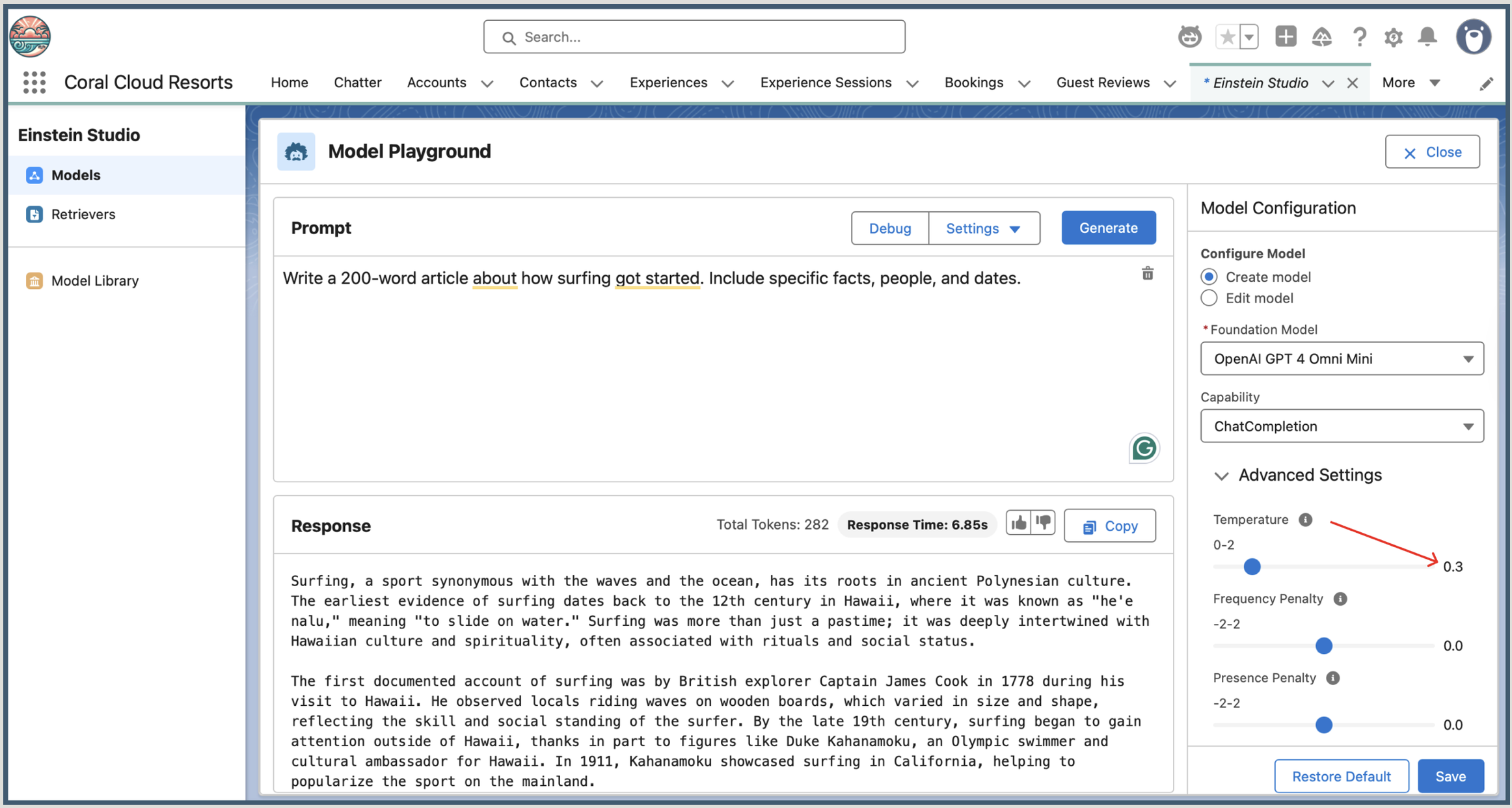
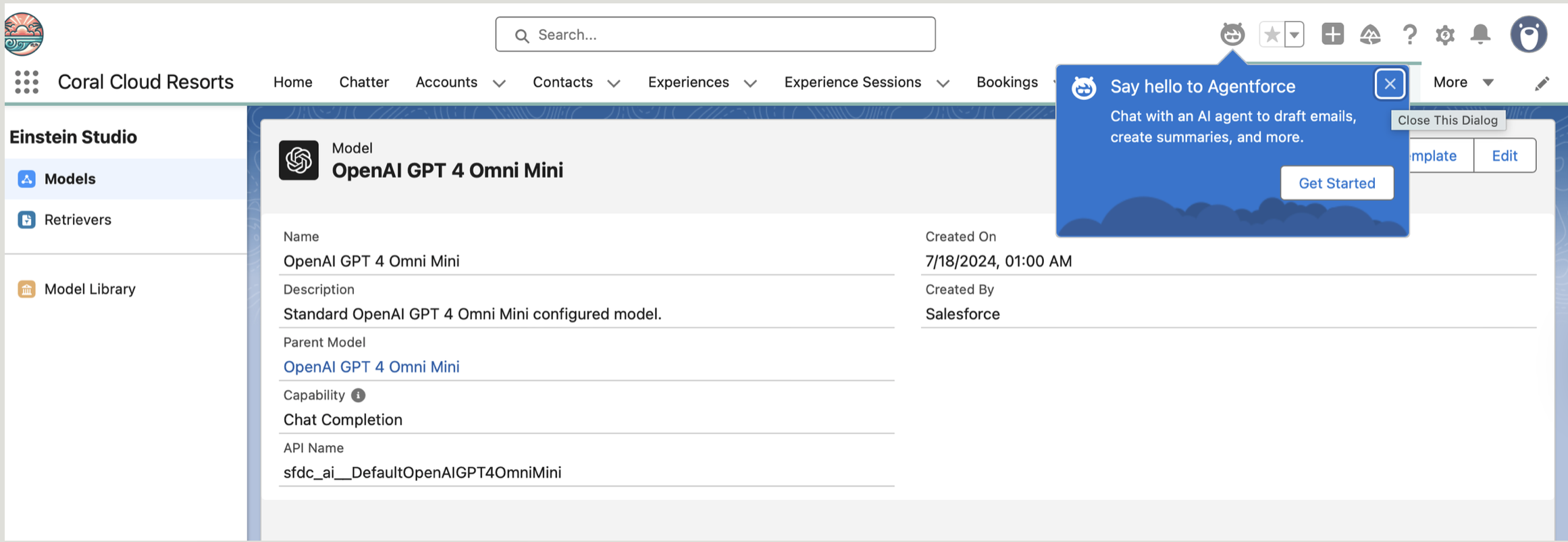
To raise the bar on reliability, I configured a custom model in Einstein Studio and set the Temperature to 0.3.
The logic: a lower temperature makes the LLM more deterministic and focused. In a business-critical environment, “predictable and accurate” beats “creative and random.”
Treating temperature as an interaction-design decision, not a technical setting, is what builds user trust.
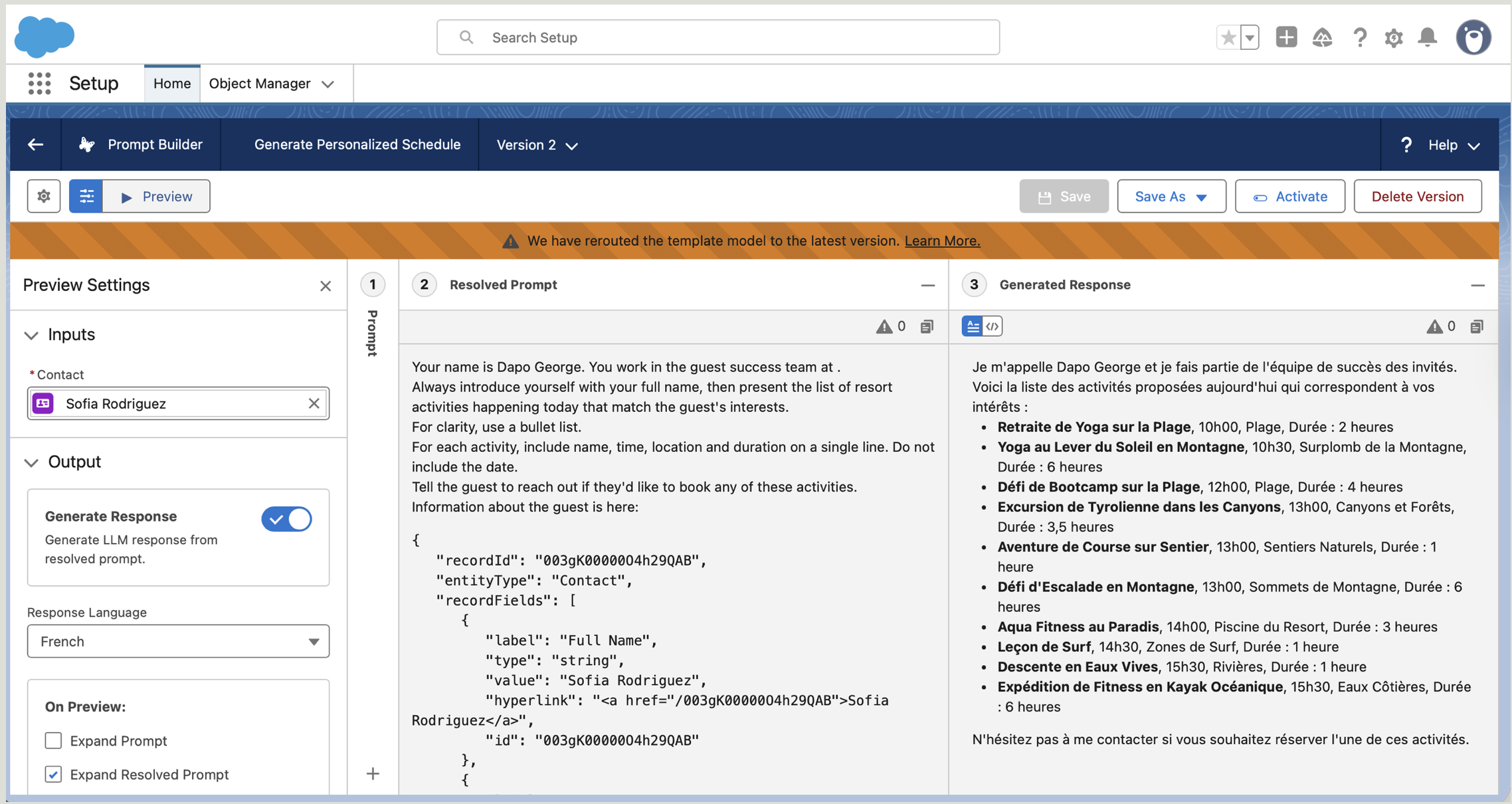
I validated the output, confirming the tone shifted from “generic” to “casual yet business-like,” and that the agent held up across languages for a consistent global experience.
A confident wrong answer is worse than no answer. So I designed the agent around what happens when it can’t be sure, not just the moments it can.
When the question falls outside the records the agent is grounded in, it says so plainly and hands the guest to a human instead of inventing a plausible-sounding answer.
The 0.3 temperature is a recovery decision as much as a tone one. It narrows the room for the model to drift, so an unclear prompt returns a careful answer rather than a creative one.
If confidence is low, the agent states what it does know, names what it doesn’t, and offers the next step, so the guest is never left guessing whether the answer is trustworthy.
The escape hatch to a human is treated as a first-class path, not a failure. The conversation, and its context, carries over so the guest never has to start again.
The measure of an AI agent isn’t how it answers when it knows. It’s how it behaves the moment it doesn’t.
Grounding the AI in real data and tuning it for determinism turned a generic chatbot into a dependable guest-success agent.
When an AI can describe an event but can’t give its price, the user has to leave the conversation to search elsewhere, and momentum breaks. I closed that gap by improving the component systems that power the agent’s intelligence.
I fixed the plumbing, not the script, true systems thinking starts with the data architecture, not the prompt.
In a high-energy discovery moment, searching for live events or local activities, a single missing field stalls the whole journey.
The agent could describe an experience, but couldn’t answer “how much?”
Users had to leave the conversation to find price elsewhere, friction and drop-off.
Improve the component systems powering the AI, not just the wording of its replies.
Systems thinking starts with the data architecture. I modified the back-end Get Experience Details flow to retrieve the Price field, so the plumbing could support the user’s real need: understanding value and cost.
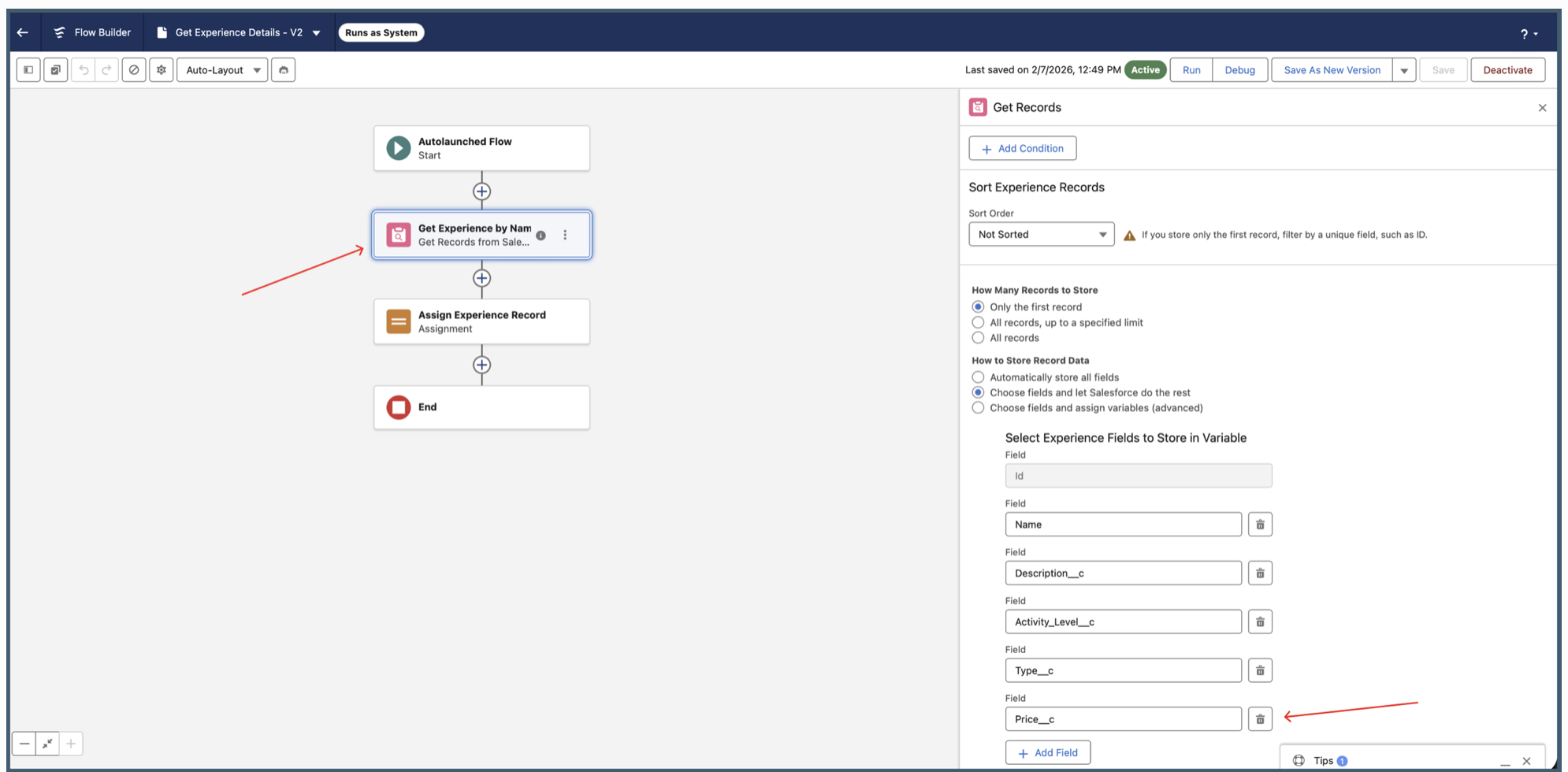
Price__c to the retrieval logic makes real-time pricing available to the conversational interface.Data is only useful if the AI knows how to deliver it. I updated the Agent Action instructions to map the new record data into the user-facing response, behavioural design that matches the natural flow of a discovery conversation.
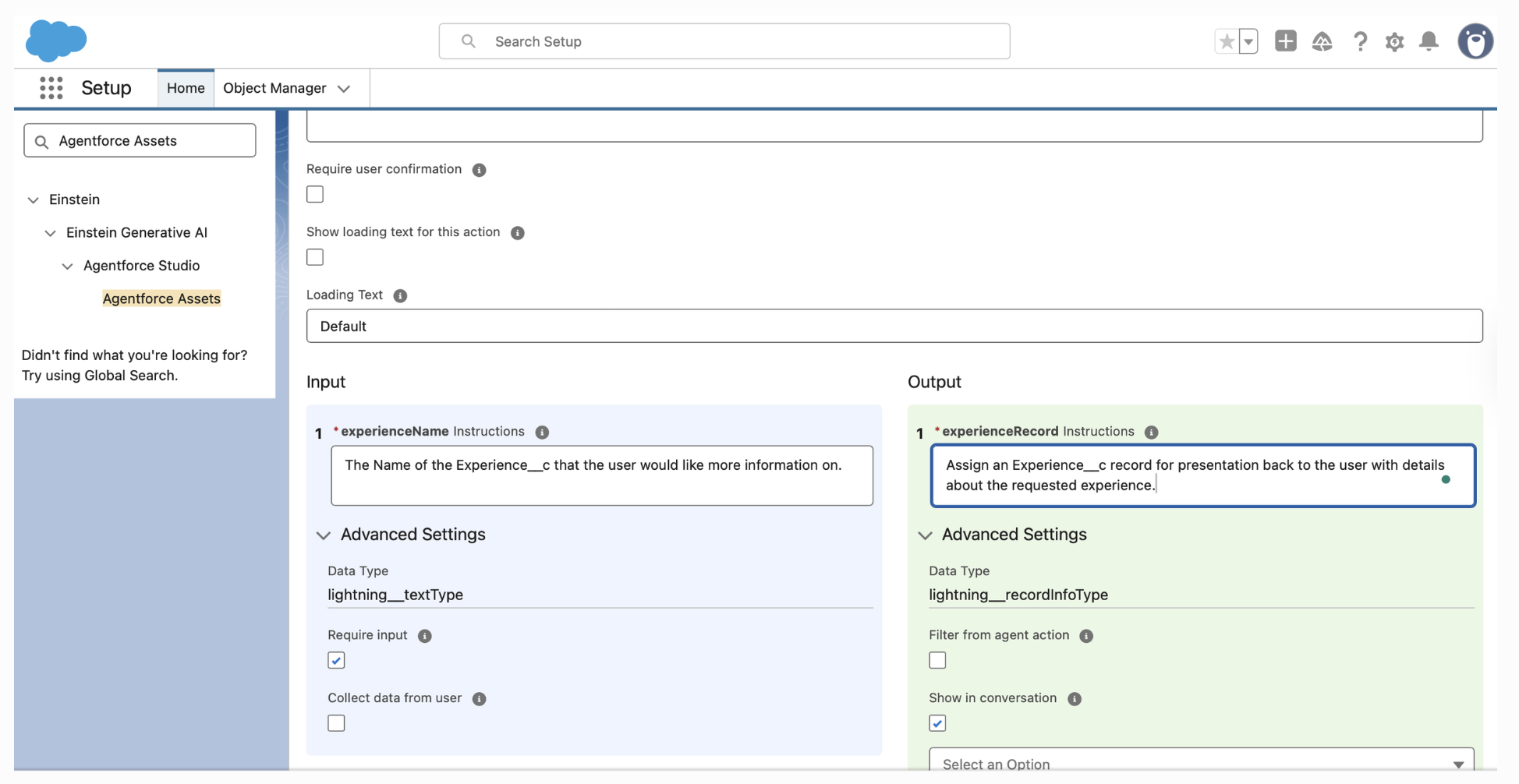
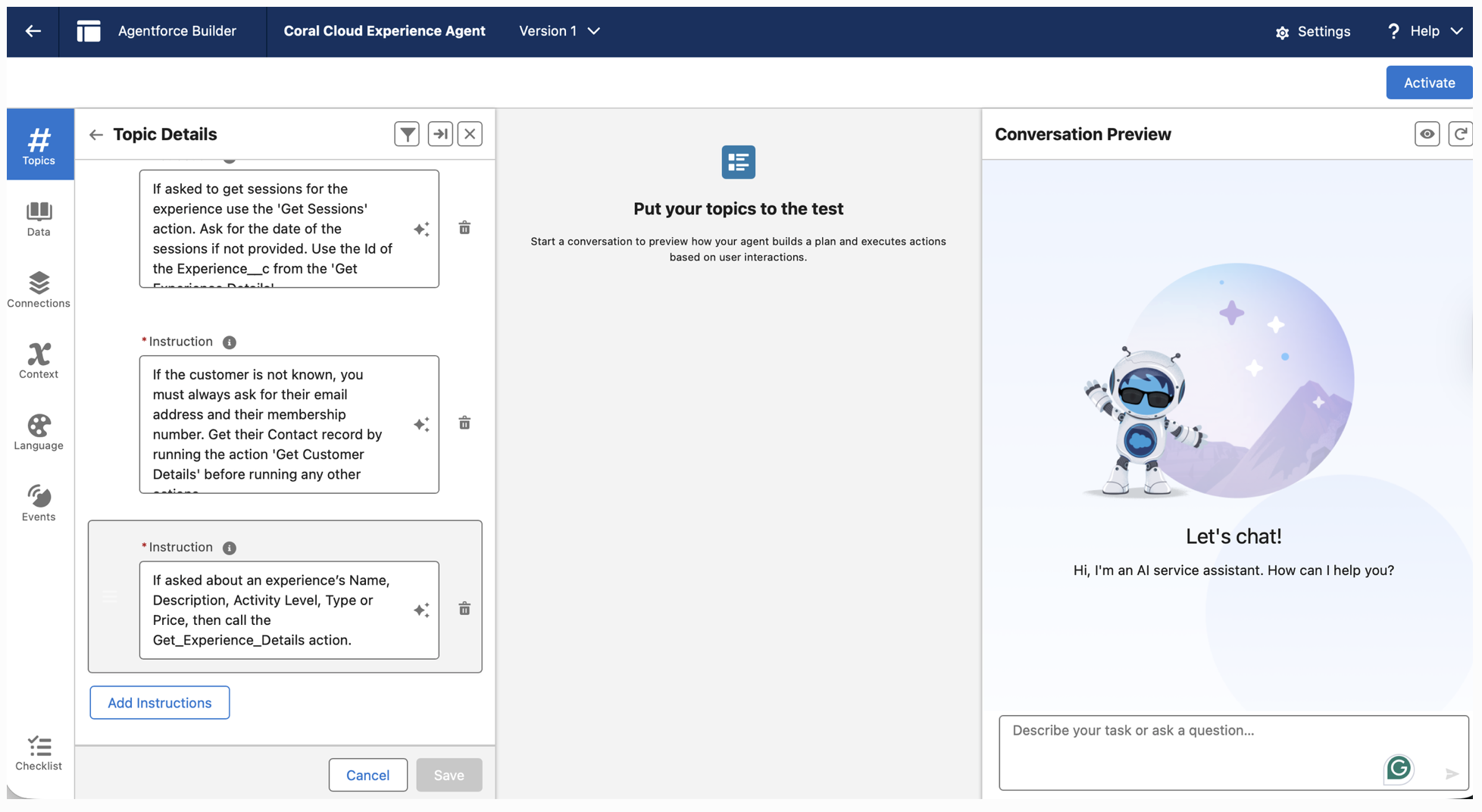
To keep the agent focused and hallucination-free, I wrote specific Topic Instructions, explicitly telling the AI when to call the retrieval action (e.g. when asked about Name, Description, or Price).
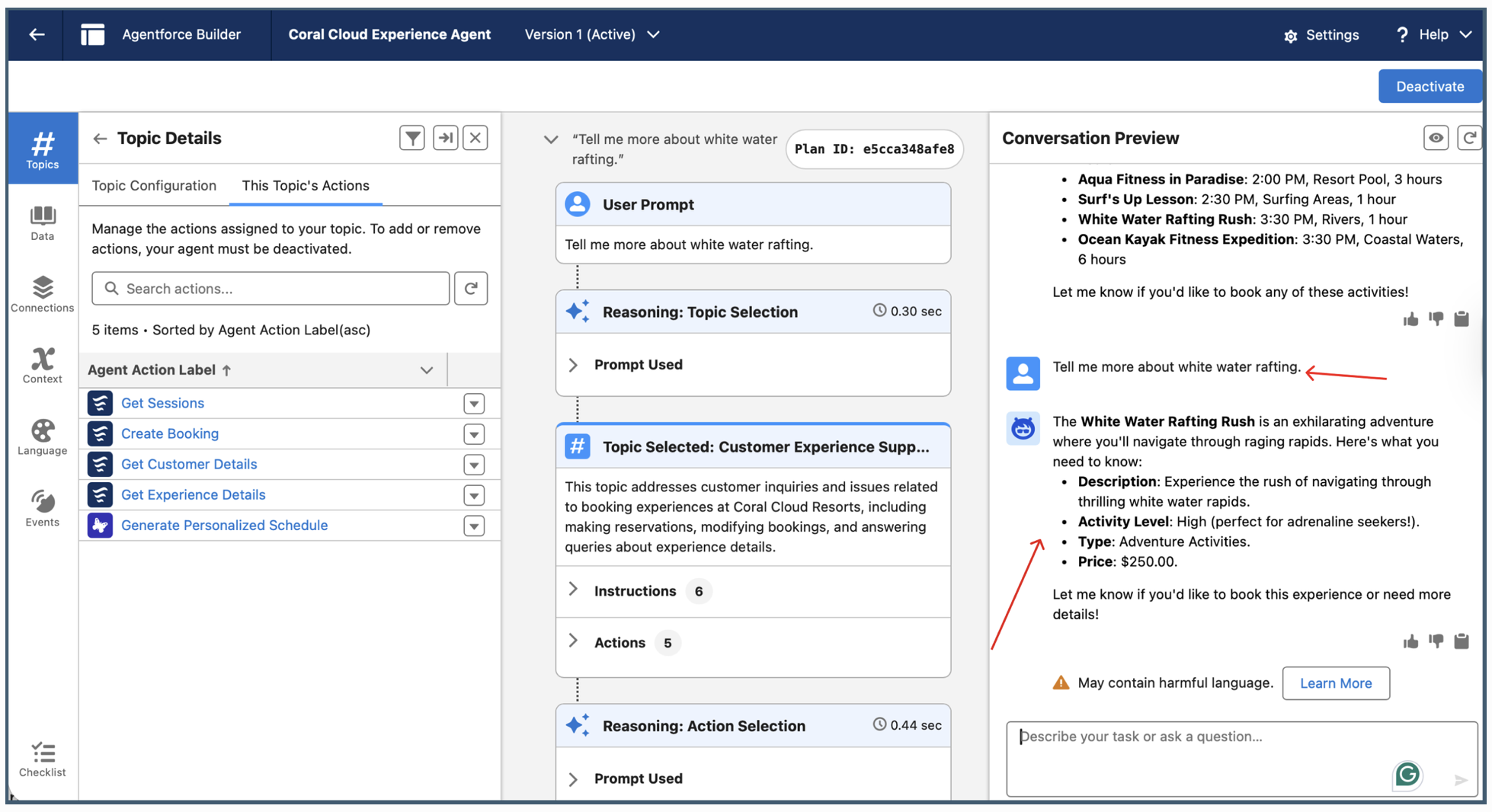
I validated the full journey, from requesting a personalised schedule to drilling into a specific event. The result: a data-rich response with accurate pricing, so the user decides without ever leaving the conversation.
Wiring the back-end logic into the conversation wasn’t only about the happy path. The harder design work was deciding what the user sees when a piece of that logic comes back empty or unclear.
If no seats, times, or options match, the agent doesn’t stop at “nothing found.” It explains why and offers the nearest alternative, so there’s always a next move.
When a booking can’t complete, the reason is stated in plain language at the point it happens, rather than failing silently and leaving the user to wonder.
Because the front-end reads directly from Salesforce, the user never sees a confirmation the system can’t honour. Status stays consistent end to end.
Every step is reversible. A wrong turn is corrected inside the same conversation, with context preserved, instead of forcing a restart.
“Zero dead ends” isn’t a slogan. It’s a rule I designed each unhappy path against.
Connecting back-end Salesforce logic to the front-end experience removed the friction, and built an architecture that scales.
Moving from idea to a fully deployed, identity-aware service agent. I designed the architecture, wired four custom actions to real Salesforce data, wrote the reasoning instructions that govern its decisions, and shipped it live on the Coral Cloud Experience Cloud site.
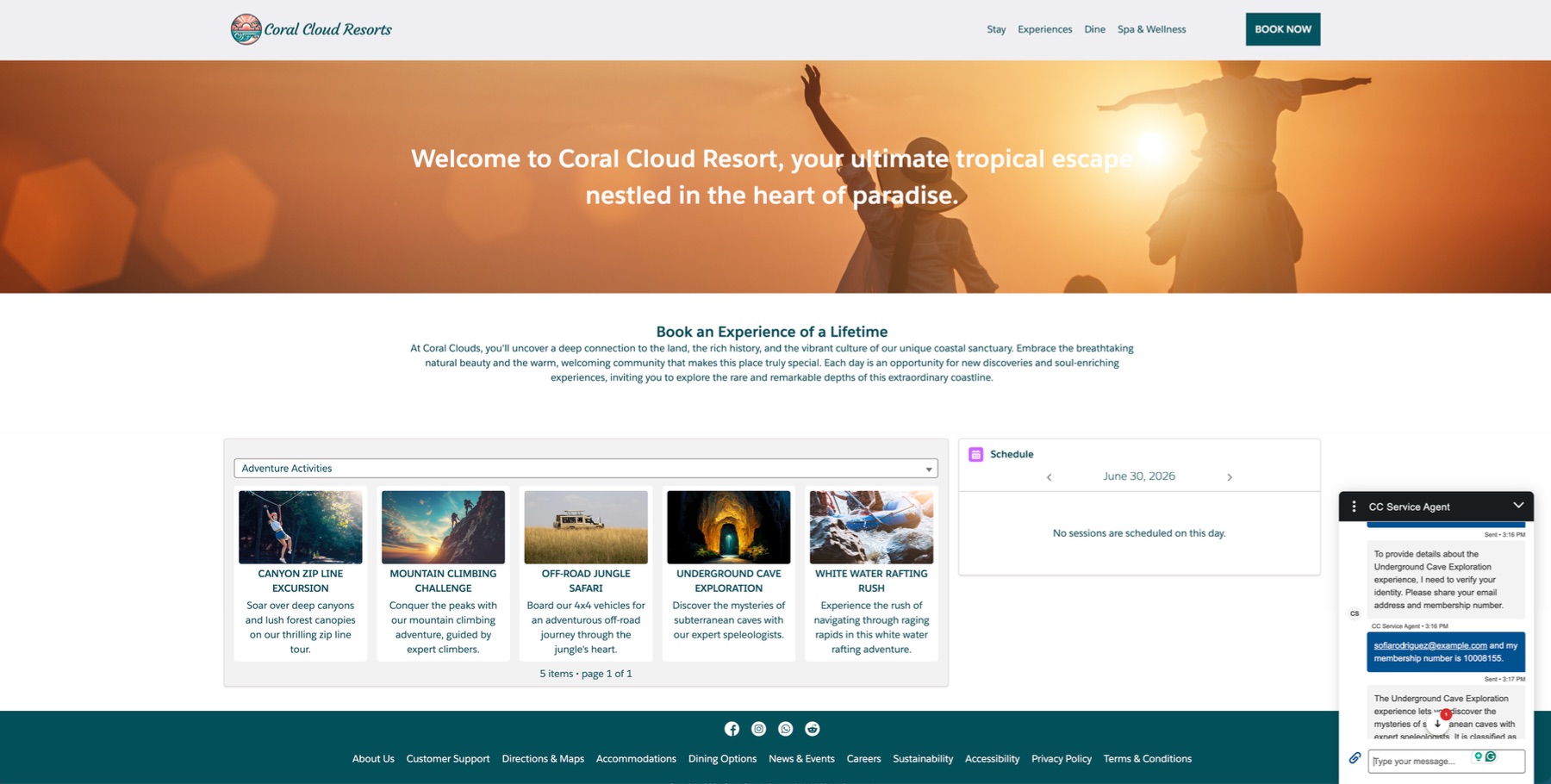
Coral Cloud Resorts guests arrived at the site wanting to discover experiences, check availability, and book sessions. The existing flow required navigating away from the moment of interest to find the information they needed.
Experience details, availability, and booking all lived in separate parts of the system, disconnected from the guest journey.
Any data returned had to be matched to a real contact record. Without that check, the agent could serve details to unverified users.
Creating a session booking meant staff intervention. Guests could not self-serve from within the experience they were already exploring.
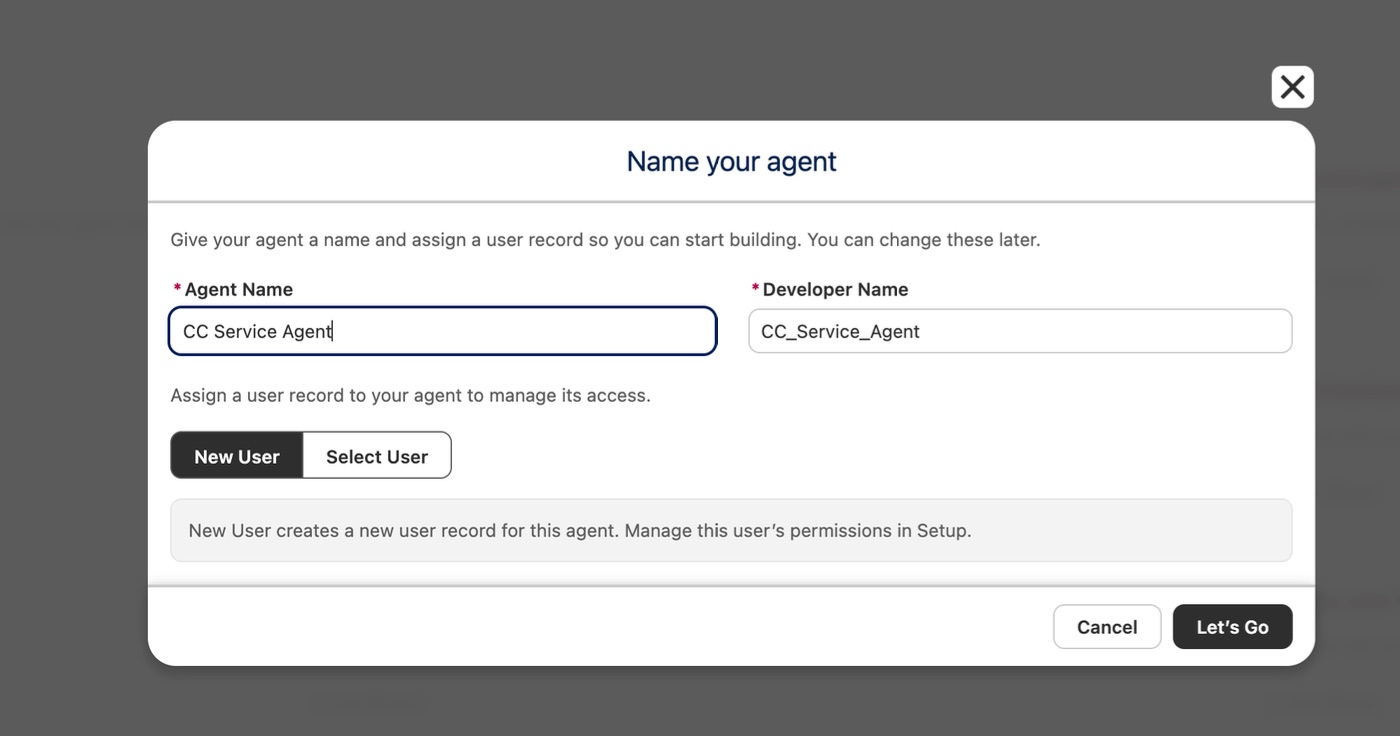
In Agentforce Builder, I started by grounding the agent in a clear role: a customer service representative that helps guests make reservations, update bookings, and navigate all that Coral Cloud has to offer.
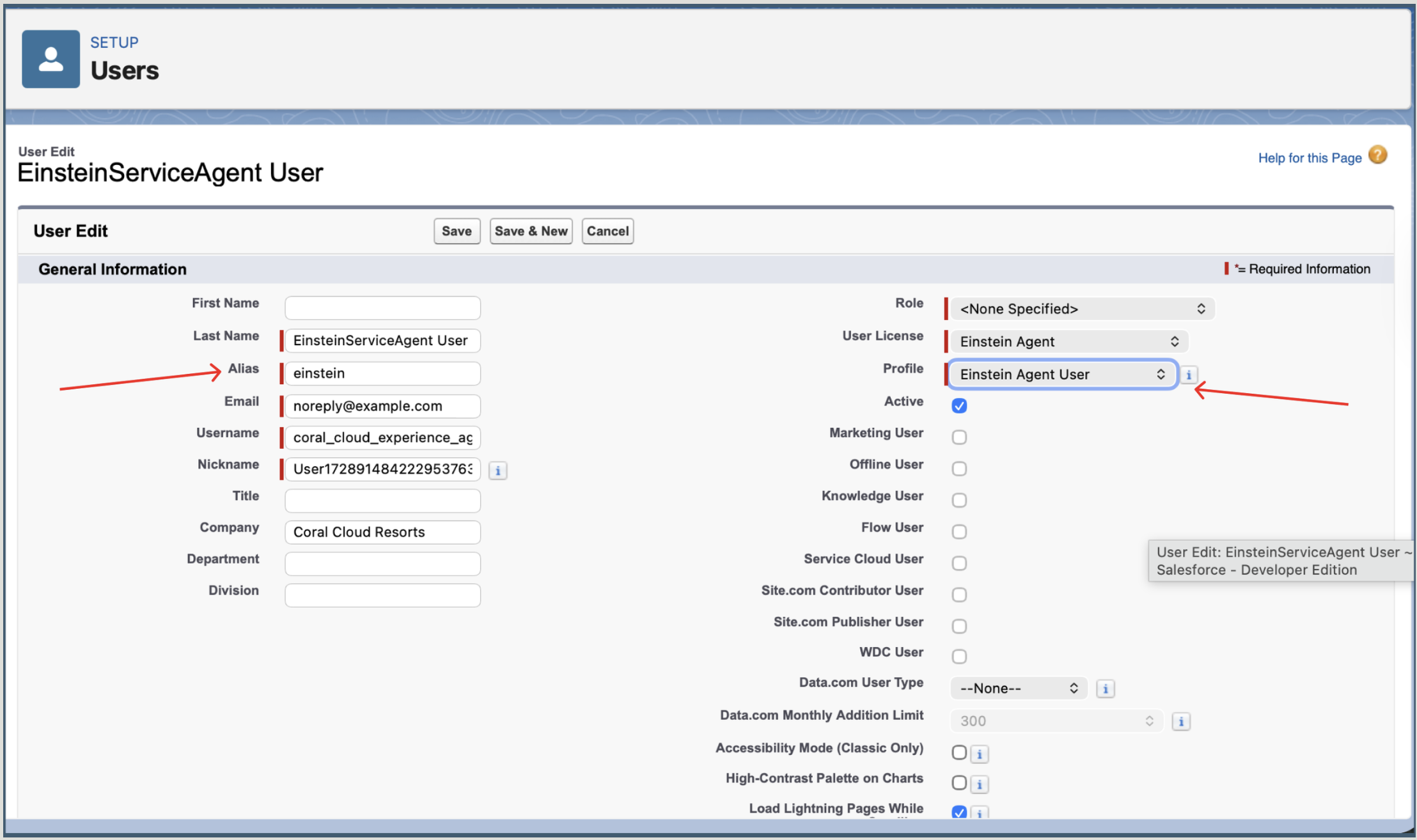
I created the CC Service Agent and assigned it the EinsteinServiceAgent user record to scope its data access correctly. Rather than building one flat agent that handles everything, I created a dedicated Experience Management subagent, a focused module responsible for activities: answering questions, checking sessions, and completing bookings.
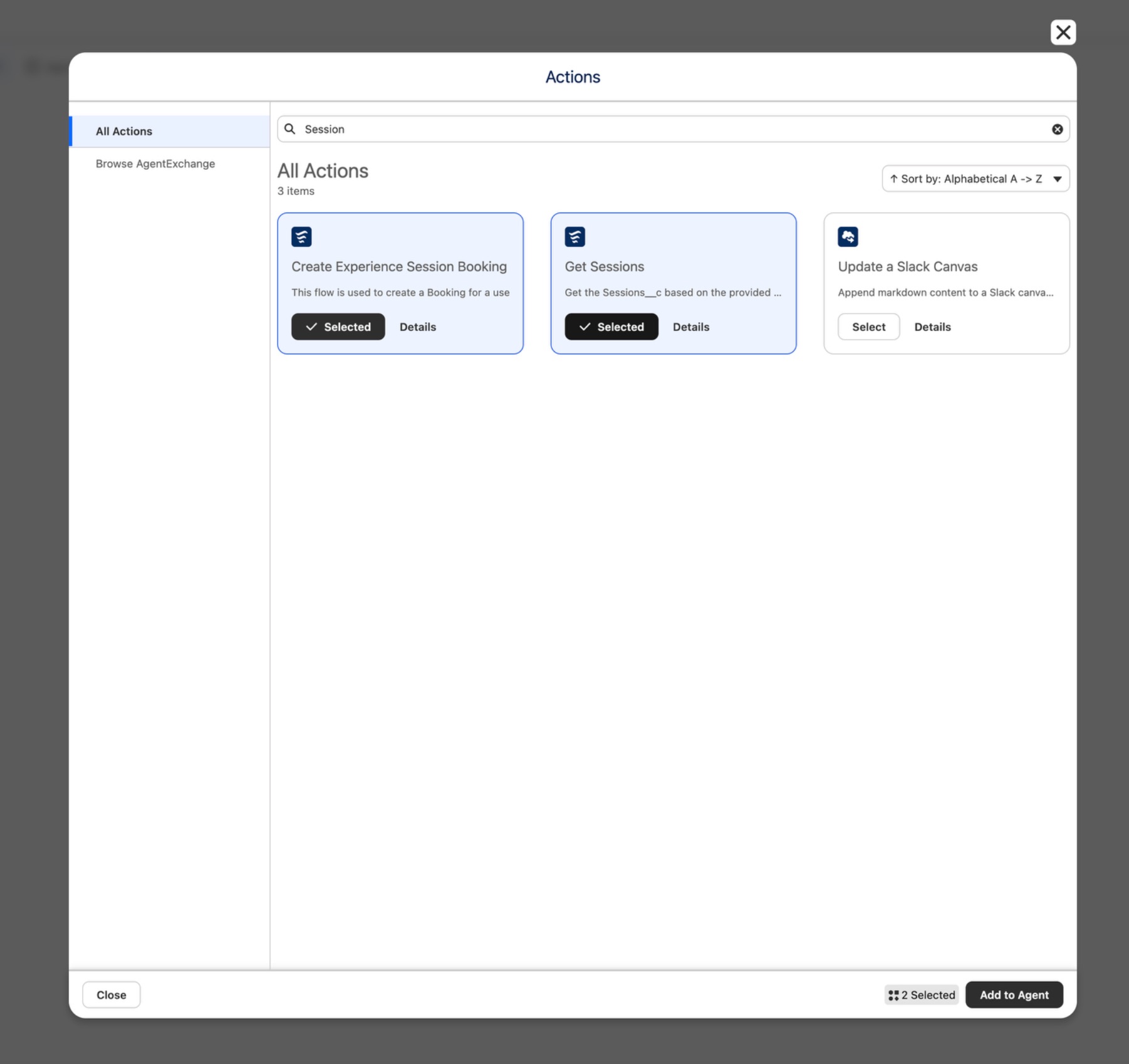
Actions are the tools inside a subagent that get the work done. I designed four, each mapped to a Salesforce Flow, with specific required inputs and controlled outputs governing exactly what the agent can ask for and what it shows in conversation.
Takes an experience name as required input and returns the full Experience__c record shown in conversation, so the agent can summarise it naturally.
Validates identity by requiring both email and membership number before any other action runs. The matched contact record surfaces in conversation.
Retrieves available sessions for an experience by ID and start date, so the agent always works from a record ID, never an experience name that could mismatch.
Takes Contact ID, Session ID, and number of guests to create a live booking record directly inside Salesforce, with no human intervention needed.
Actions alone do not make a good agent. The reasoning instructions tell it when to use each action, in what order, and what to do when it does not have enough information yet.
I wrote four instructions that create a clear decision hierarchy. Always know the customer before doing anything else, which means Get Customer Details runs before any other action. Always use the experience record ID when querying sessions, which prevents the ambiguity that leads to wrong results. If multiple sessions are available, present the options and let the guest choose. Handle booking by passing the correct IDs from earlier actions into Create Experience Session Booking so nothing gets repeated or misrouted.
Agentforce Builder's Script view let me write and validate these as structured agent logic, while Canvas view showed how they read in plain language.
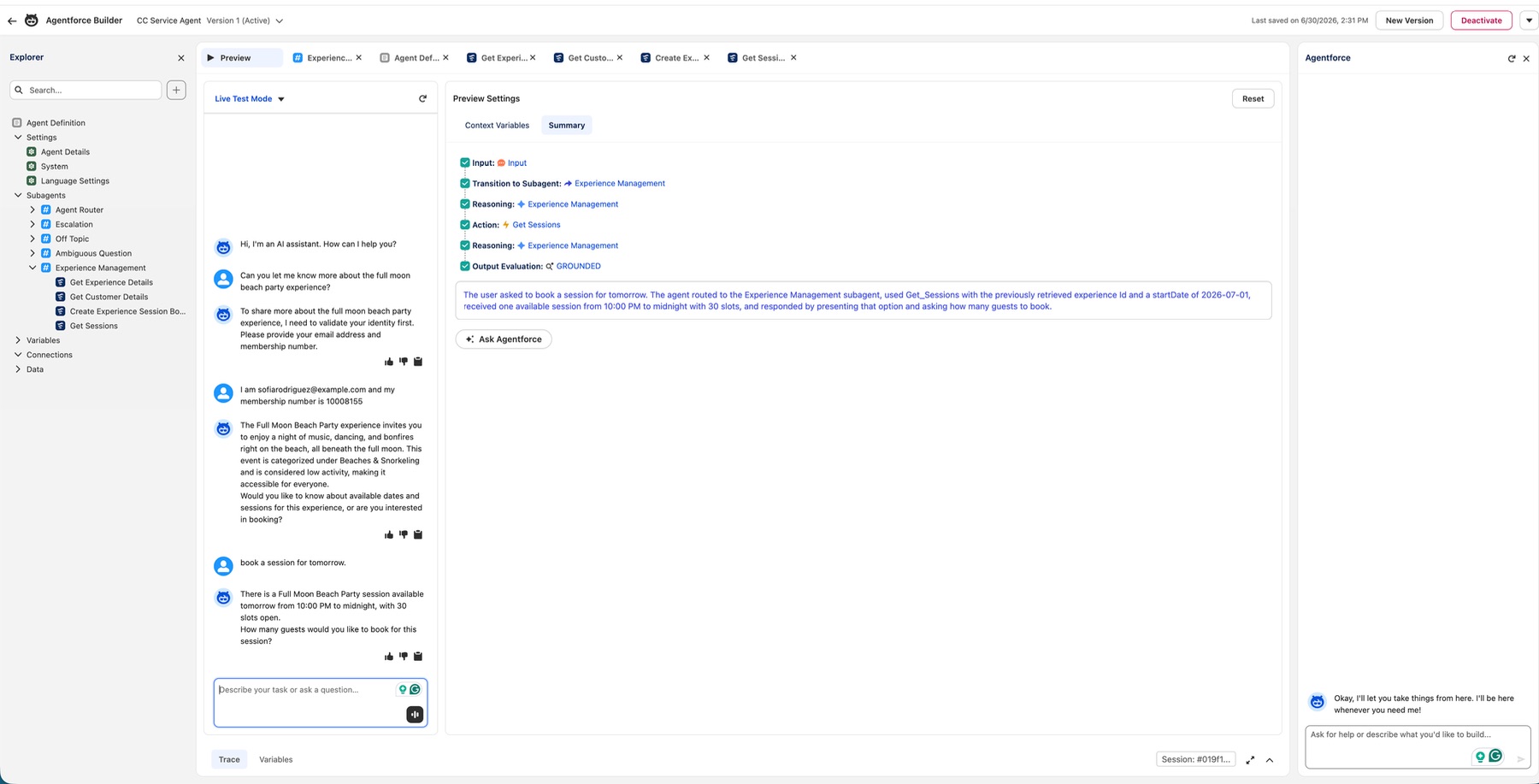
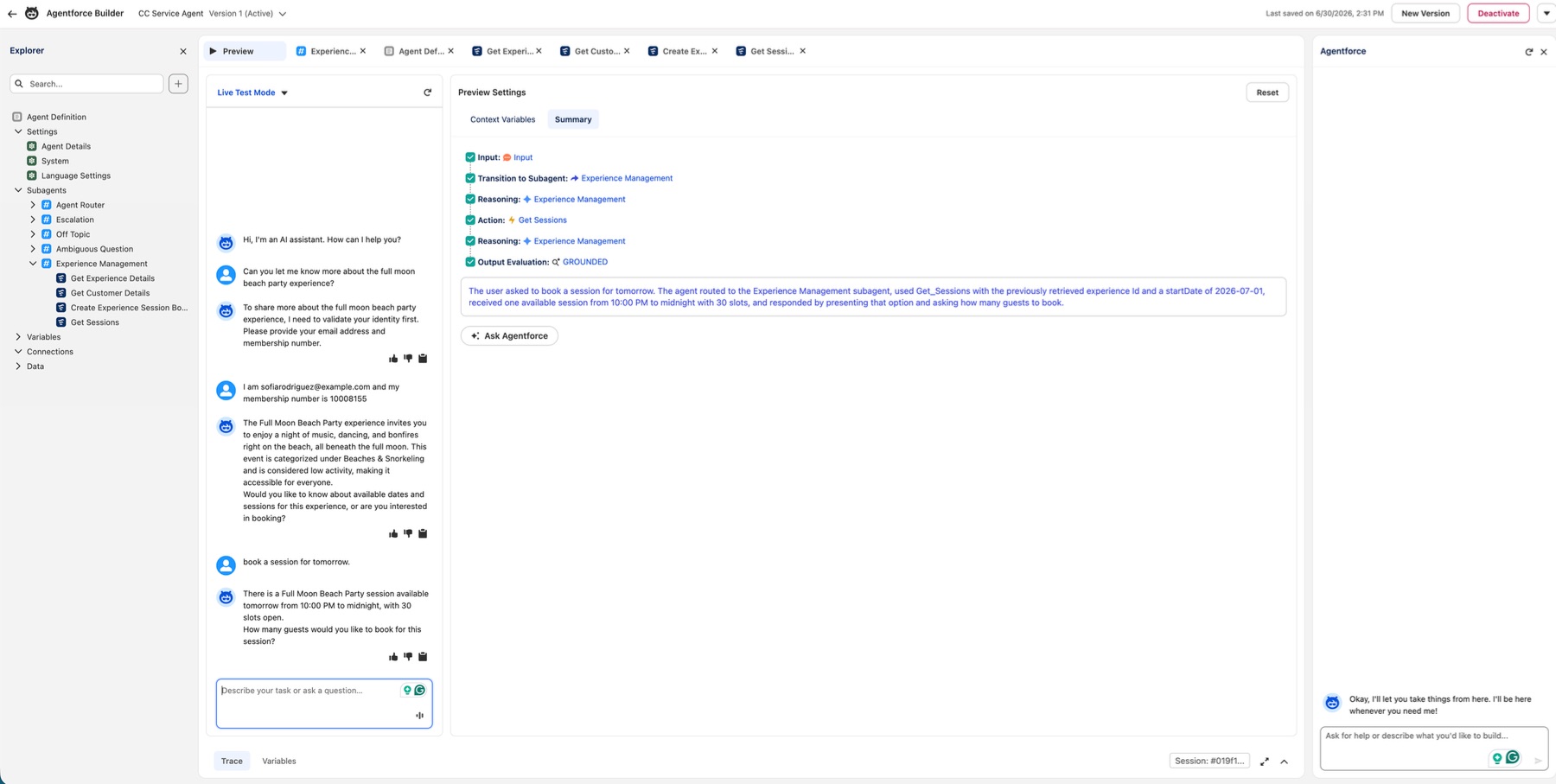
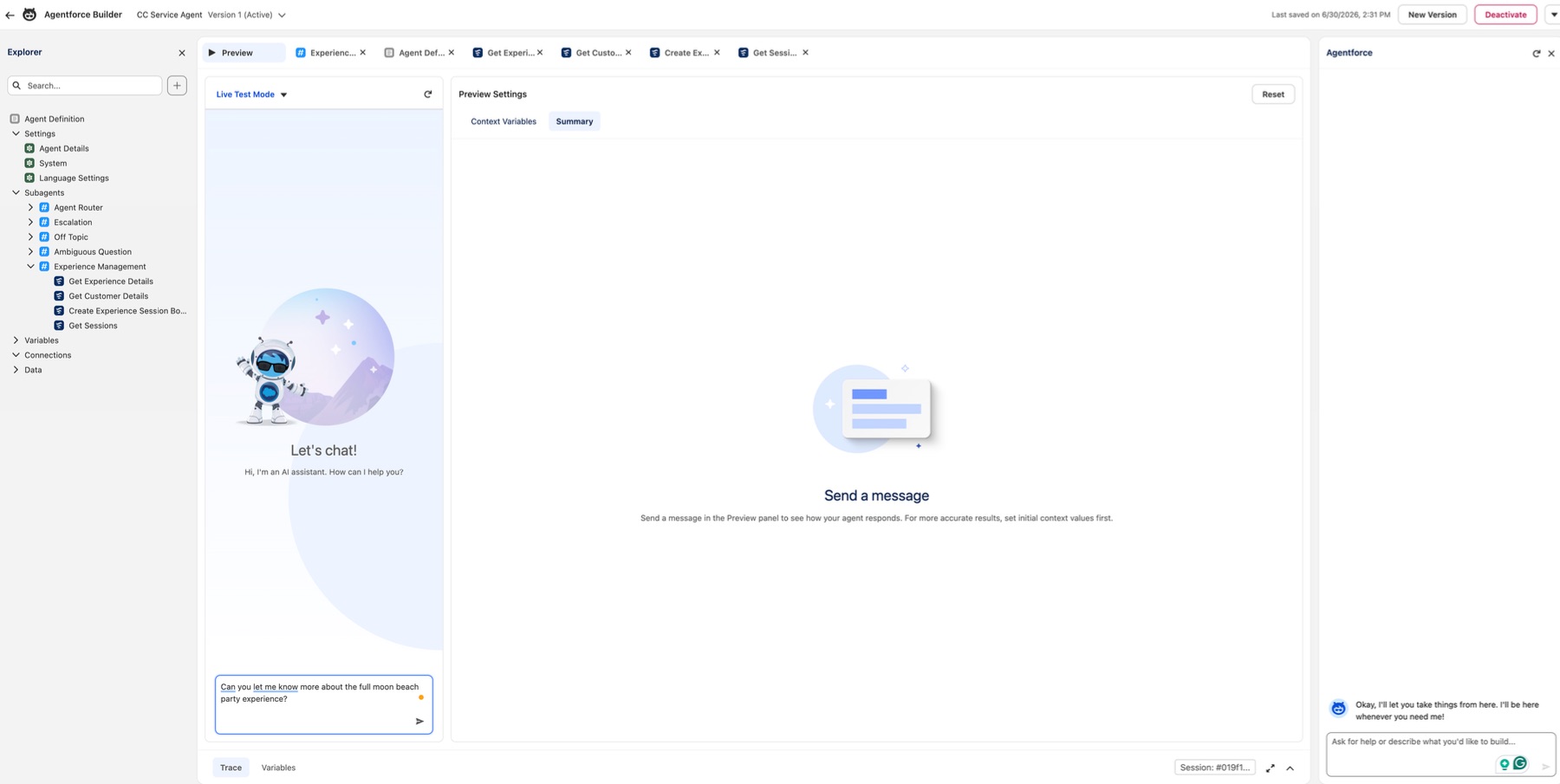
With the instructions validated in Script view, I committed Version 1 and activated it for production. Agentforce Builder's Preview mode ran a full live test against real org data before the site went live.
The test: asking about the full moon beach party experience. The agent routed to Experience Management, applied instruction 2 (verify the customer first) and asked for email and membership number. Once provided, it called Get Customer Details, confirmed the contact record, then called Get Experience Details and returned a grounded readable summary. When the guest asked to book a session for tomorrow, the agent called Get Sessions by experience ID, found an available slot at 10 PM, and asked how many guests. The Summary panel confirmed every step and returned Output Evaluation: GROUNDED. I then embedded the agent into the Coral Cloud Experience Cloud site via Embedded Service Deployment and published it live.
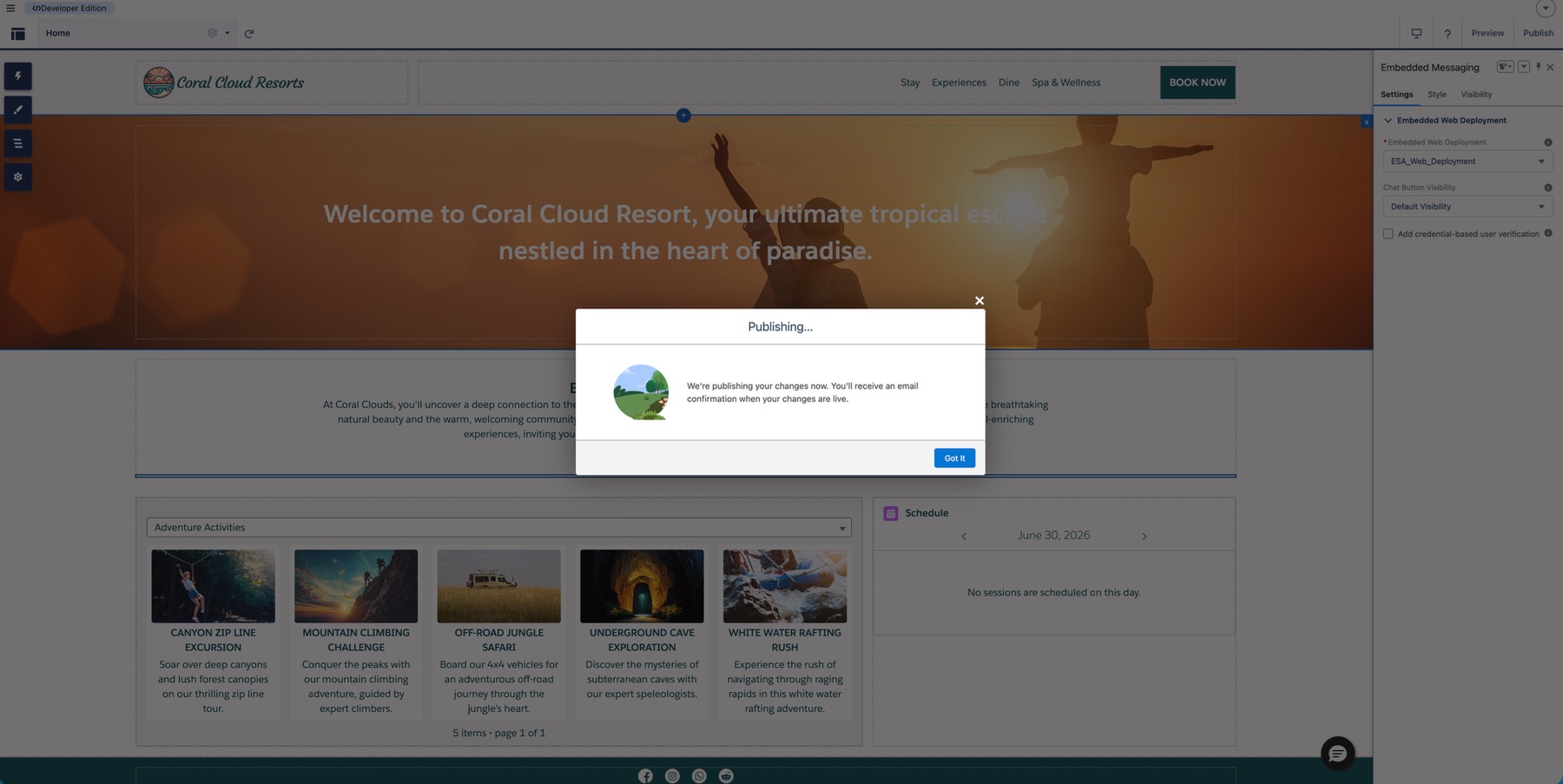
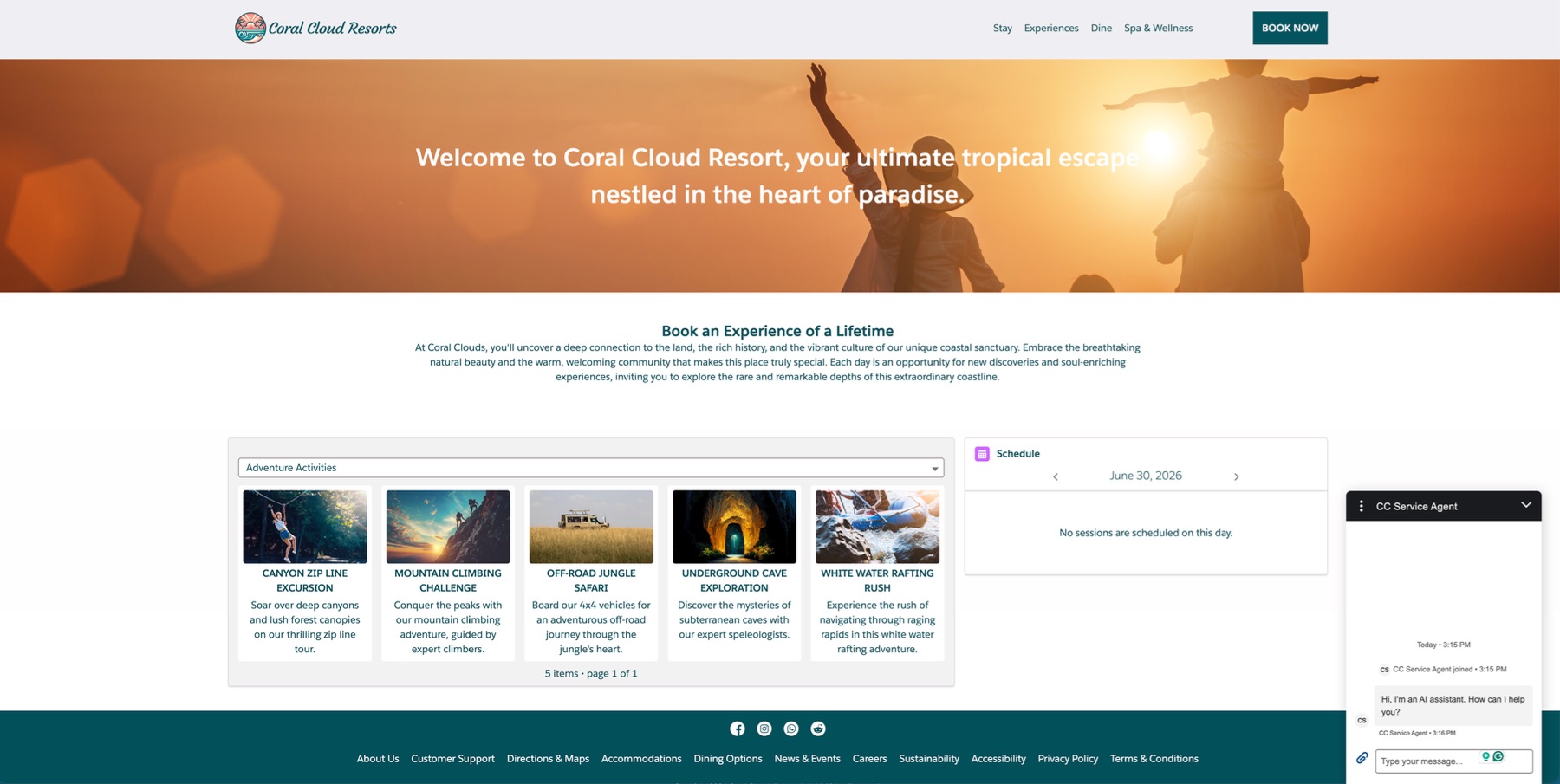
A guest can now discover a resort experience, verify their identity, check availability, and complete a booking inside one conversation on the Coral Cloud site, without any staff involvement.